 By
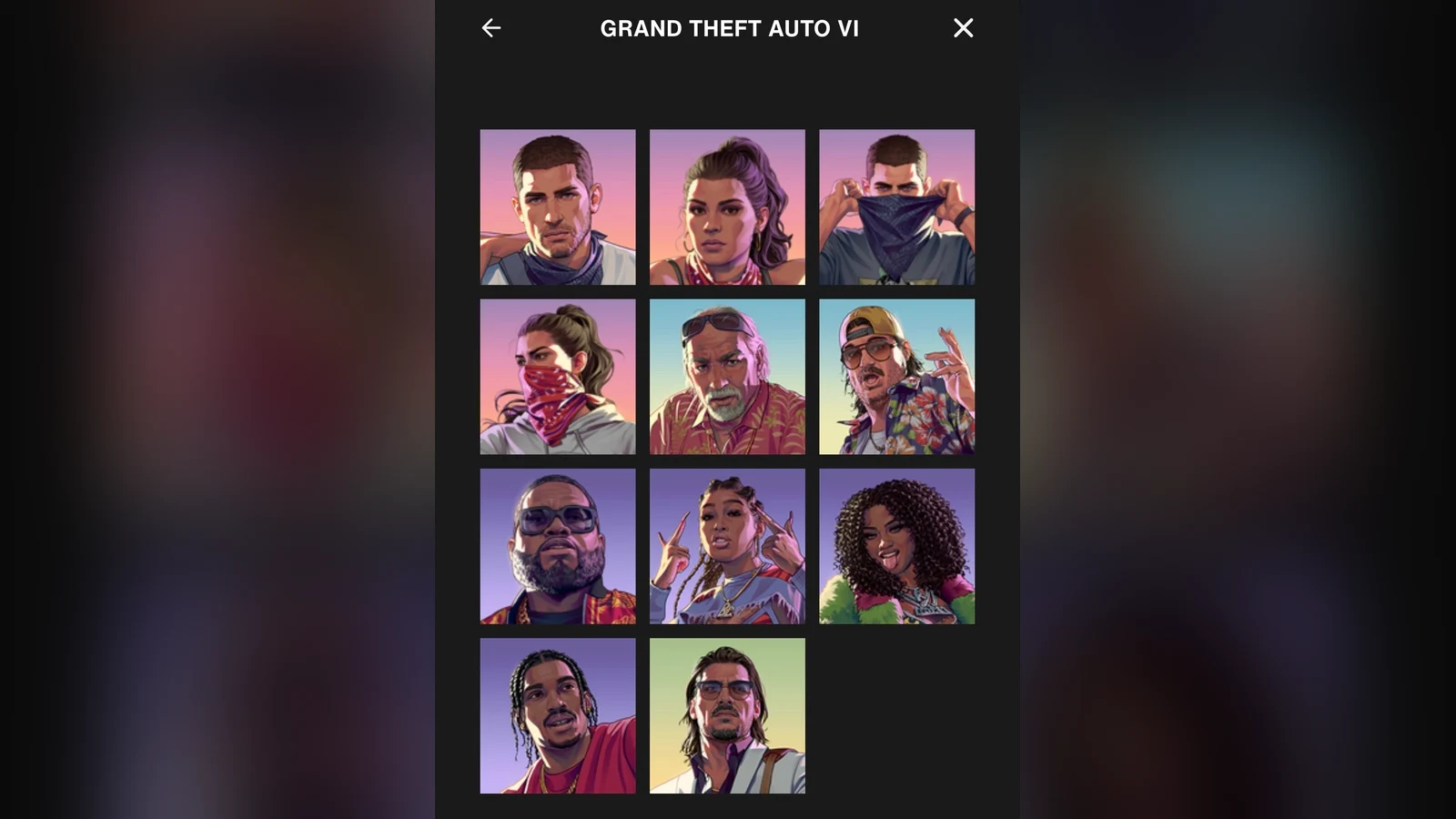
You can now put a GTA VI character on your Rockstar Games profile. The avatar picker has 11 portraits to choose from. Jason Duval and Lucia Caminos each get two versions, one with their face uncovered and one with a bandana pulled up.
The seven other portraits show Brian Heder, Cal Hampton, Boobie Ike, Bae-Luxe, Roxy, Dre’Quan Priest and Raul Bautista. The full grid is visible in the screenshot above. The character guide introduces the people behind those portraits.
How to change your Rockstar Games avatar
- Sign in to your Rockstar Games account.
- On the Profile tab, click the pencil on your current avatar.
- Choose Grand Theft Auto VI, pick a portrait and click Save Avatar.
The portrait appears on your Rockstar Games profile. You can go back to the same picker to swap it for another character.