GTA 6 Controls for PS5 and Xbox Series X|S
← Leonida Hub By Alex · Last updated:
| Status | Rumor |
|---|---|
| Full button layout | Goes up on this page on 19 November 2026Confirmed |
| Expected baseline | GTA V's default layout on PS5 and Xbox Series X|SSupposed |
| Shown in gameplay | Free Jason/Lucia switch, right trigger to take your partner's hand, phone pulled from the pocketConfirmed |
| PS5 extras | DualSense haptics, adaptive triggers and speaker, adjustable in accessibility settingsConfirmed |
| Aim assist | No lock-on, strength set by the playerRumor |
The first ten minutes of any new GTA go the same way. You reach for jump and get a punch, you try to aim and open the phone instead, and somewhere a pedestrian pays for it. This page is here to shorten those ten minutes. On launch day it gets the full GTA 6 layout for PS5 and Xbox Series X|S; today it holds the layout your hands already know and everything Rockstar has actually shown of the new one.
We’ll update this page within 12 hours of launch on November 19, as soon as the in-game controls screen is in front of us.
GTA V as the starting point
Rockstar rarely tears up a control scheme. GTA V on PS5 and Xbox Series kept the layout from 2013, and Red Dead Redemption 2 moved things around only where horses and the camp needed it. So the safest bet is that triggers still aim and shoot, the right bumper still puts you in cover and the D-pad still pulls out the phone. What follows is GTA V’s default scheme, the one most of you will be playing GTA 6 against in your head.
Controls table: GTA V vs GTA 6
| Action | PS5 (GTA V) | Xbox Series (GTA V) | GTA 6 |
|---|---|---|---|
| Move / camera | Left stick / right stick | Left stick / right stick | — |
| Sprint | Tap X | Tap A | — |
| Jump / climb | Square | X | — |
| Enter vehicle | Triangle | Y | — |
| Melee / reload | Circle | B | — |
| Aim / fire | L2 / R2 | LT / RT | — |
| Take cover | R1 | RB | — |
| Weapon wheel | Hold L1 | Hold LB | — |
| Stealth mode | L3 | Left stick click | — |
| Phone | D-pad up | D-pad up | — |
| Switch character | Hold D-pad down | Hold D-pad down | — |
| Special ability | L3 + R3 | Both sticks click | — |
| Accelerate / brake | R2 / L2 | RT / LT | — |
| Handbrake | R1 | RB | — |
| Horn / look behind | L3 / R3 | Left / right stick click | — |
| Headlights | D-pad right | D-pad right | — |
| Cinematic camera | Hold Circle | Hold B | — |
| Pause menu and map | Options | Menu | — |
The GTA 6 column fills in on the 19th. Where a row turns out unchanged, we’ll say so instead of leaving you to compare.
What the footage has already shown
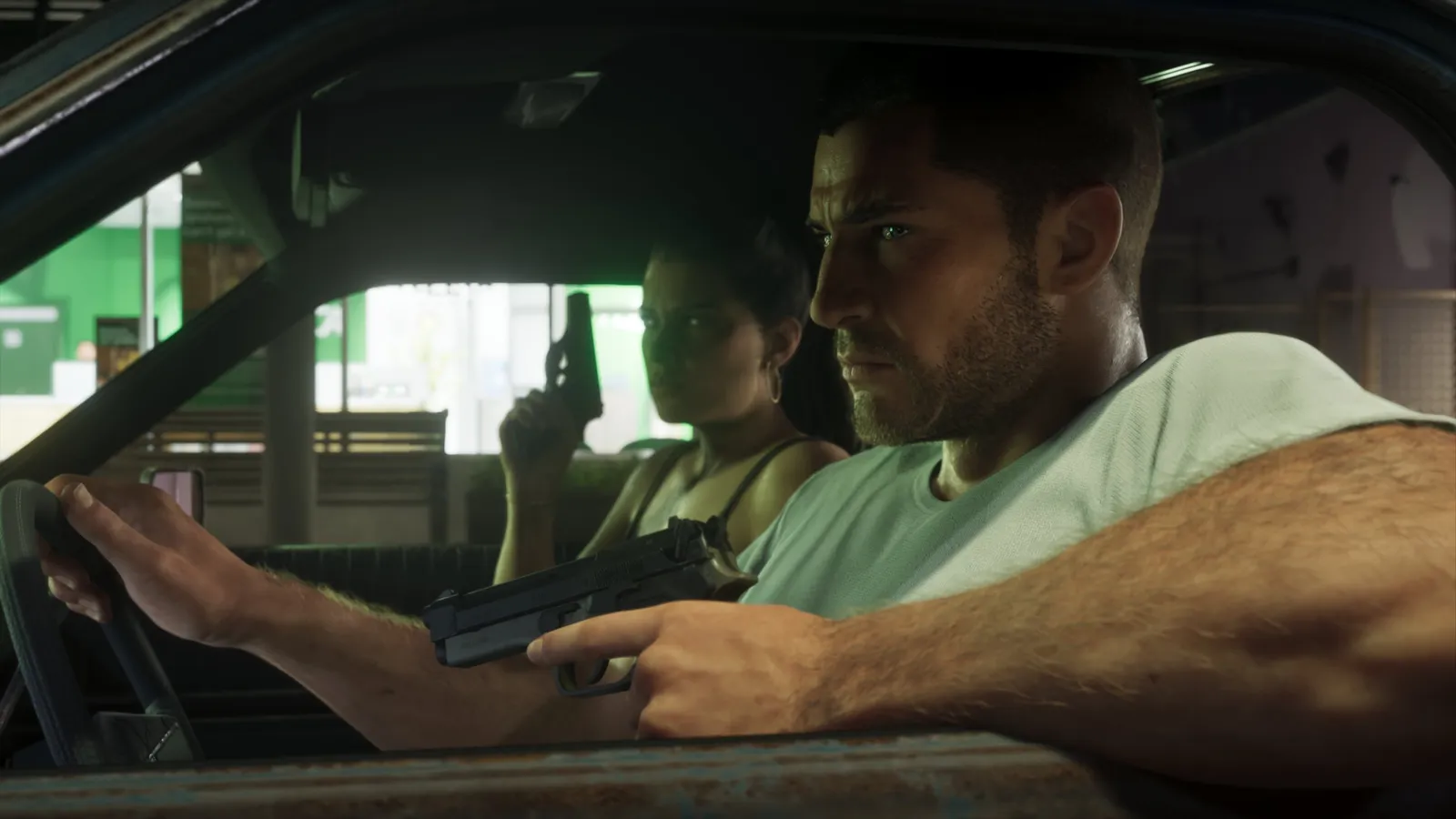
Switching between Jason and Lucia survives, but it no longer looks like GTA V’s three-way wheel. In An Extended Look it’s free in the open world: tap and you are the other one, and Dazed’s preview describes jumping from the driver’s seat to the passenger window in the middle of a chase. A few story beats hold the switch to keep a scene together. The whole system lives in our dual protagonists breakdown.
The right trigger has a new job outside fights. When the bond between the two grows, a pull of it takes your partner’s hand while you walk. It’s a tiny thing, and it tells you the triggers mean more than “shoot” now. More on that in the relationship guide.
The phone stopped being a menu in the corner: the camera pushes in on a hand pulling it out of the pocket. The minimap fades away by default, and you can drop a waypoint on the place you’re looking at without opening the map. Combat changes the most, and previews say the lock-on aim is gone, with aim assist that only nudges and a slider for how hard. The details are in combat and stealth.
On PS5 the controller itself joins in. Sony says GTA 6 uses DualSense haptics, adaptive triggers and the built-in speaker throughout the game, all adjustable in the accessibility settings. I’d turn the trigger resistance down for long drives and leave it up for shootouts. Platform differences are covered in the platforms guide.
Settings to check before your first mission
- Aim assist strength, if the slider is there
- Sprint: tap or hold
- Trigger resistance and vibration on PS5
- Minimap always on or fading
- Camera sensitivity and invert Y
If you’re starting fresh, our beginner’s guide covers the first hours. And then it’s just you, a controller and a city where the first car door slams under your thumb.
FAQ
What are the GTA 6 controls on PS5?
The full layout goes up here on launch day. Until then, GTA V’s PS5 scheme is the closest guide: L2 to aim, R2 to fire, R1 for cover, D-pad up for the phone.
How do you switch between Jason and Lucia on a controller?
The exact button arrives with the game. In GTA V the character wheel sat on a held D-pad down. GTA 6 lets you switch freely in the open world, with only a few story moments holding it.
Can you remap the controls in GTA 6?
GTA V on PS5 and Xbox Series offers several preset schemes. We’ll check the GTA 6 options menu on the 19th and list what can be changed.
Are GTA 6 controls the same as GTA V?
Most likely close, since Rockstar rarely rebuilds a scheme from scratch. The footage already shows new uses, like the right trigger taking your partner’s hand. The table above gets the GTA 6 column on launch day.
Everything here comes from official Rockstar materials. Analysis is labeled. We don’t publish leaks.
By Alex · Last updated: