How to quit GTA 6 and save your progress on PS5 and Xbox
← Leonida Hub By Alex · Last updated:

| Status | Confirmed |
|---|---|
| PS5 | Games home → GTA 6 → Options button → Close Game |
| Xbox Series X|S | Xbox guide → GTA 6 → Menu button → Quit |
To fully close GTA 6 on PS5, highlight its icon on the home screen and select Close Game. On Xbox Series X|S, select Quit from the game’s tile in the guide. Both options are in your console’s menus. Before you quit Story Mode, make sure your progress is saved.
How to close GTA 6 on PS5
- Hold the PS button on your DualSense controller to go to the Games home screen.
- Highlight the GTA 6 icon and press the Options button to the right of the touch pad.
- Select Close Game and confirm with the Cross button.
A quick press of the PS button during play opens the control center. Find GTA 6 in Switcher and select Close Game from there. If you select Home, GTA 6 stays open. You can also suspend the game in rest mode. PlayStation’s controller button guide · PlayStation’s guide to the control center · Close Game menu screenshot (Japanese)
How to quit GTA 6 on Xbox Series X|S
- Press the Xbox button on your controller to open the guide.
- Highlight the GTA 6 tile and press the Menu button (≡).
- Select Quit with the A button. If GTA 6 is missing from the guide, open the same menu from its tile on the home screen. Xbox Support’s steps to close a game
Xbox Quick Resume lets you return to where you left off in supported games after switching to another title. If GTA 6 appears in your Quick Resume group, you can remove its suspended session from the game tile’s menu and relaunch it. To make GTA 6 start fresh every time, open Manage game and add-ons → Quick Resume settings and disable the feature for that game. Xbox’s Quick Resume settings

Check your Story Mode save before quitting
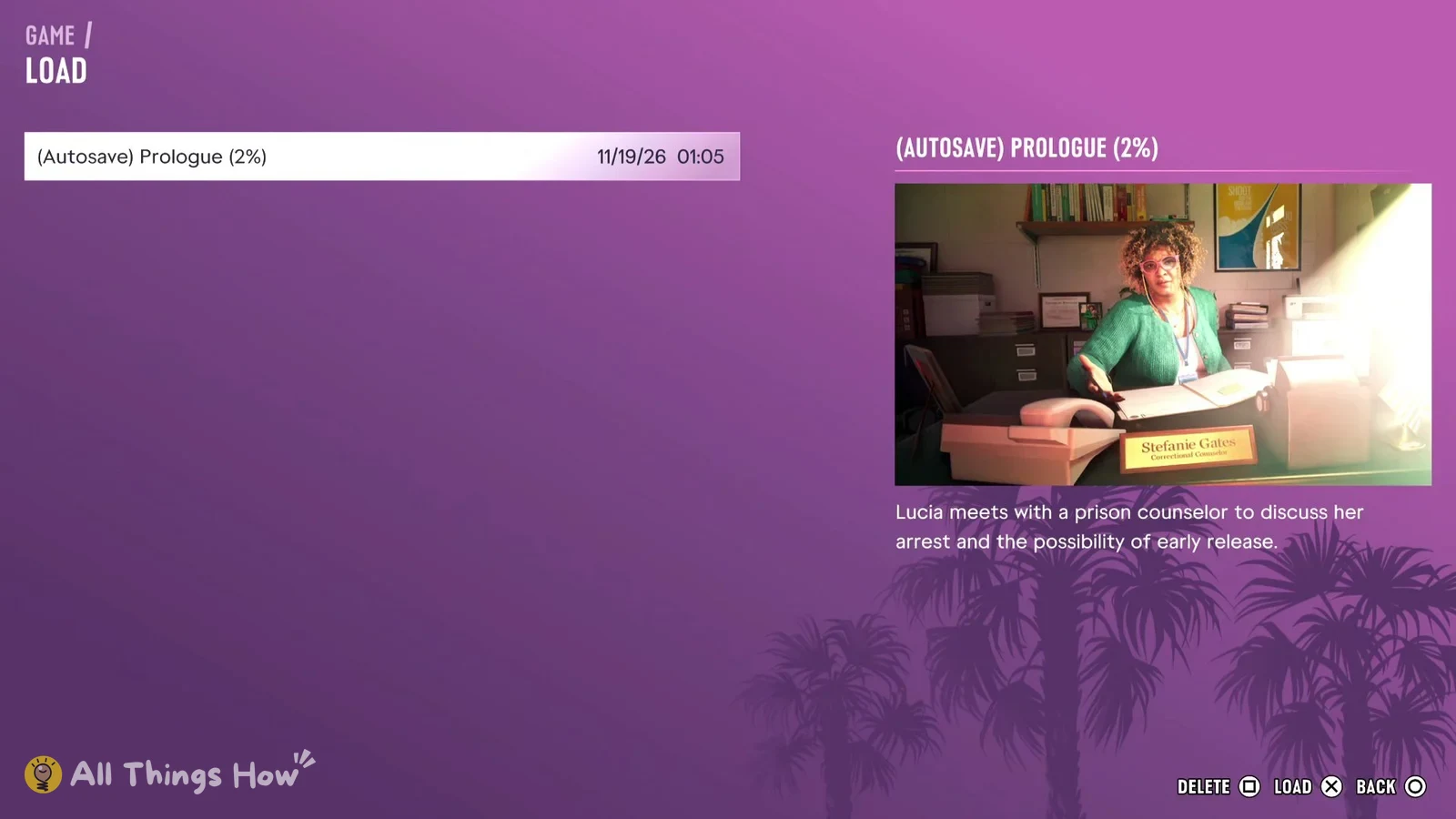
If you’re in the middle of a mission, wait until you’re back in free roam and make a manual save. Once the save indicator disappears, open Game → Load Game in the pause menu and check the timestamp and progress on the latest save. You can back out of the list once you’ve checked and then close the game. How to save and load in GTA 6 · PS5 Load Game screen
After you relaunch GTA 6, load a save to continue the story.